FREE · UPDATES AUTOMATICALLY

Show visitors your domain is verified & trusted.

Embed a live DomainScan trust badge on your site. It shows your real-time security score, refreshes on its own, and links back to your full report.

See examples
WHY EMBED IT

A trust seal that actually means something.

Turn a visitor's hesitation into confidence.

A third-party verified score tells people your site is the real thing — not a look-alike or phishing clone. It's the difference between "I think this is safe" and "this is verified safe."

Always live
Pulls a real-time score. No stale seals — it reflects today's state, not last year's audit.
Links to proof
One click opens the full report — SSL, DNS, email auth. Skeptics can verify for themselves.
PICK A STYLE

Four formats. Every one ships as SVG.

Light & dark themes · retina-crisp · drops into any layout.
yoursite.com
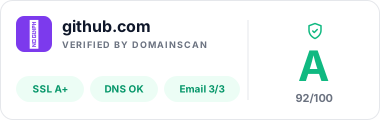
Horizontal bar
Best for footers & homepage trust strips
MOST POPULAR
Rectangular card
Trust sections & wide banners
LIVE
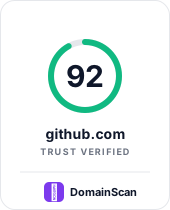
Vertical card
Sidebars & widget slots
LIVE
Compact chip
Inline next to a logo or in nav
LIVE
WHO IT'S FOR

The trust badge for anyone shipping to the internet.

A verified security seal reads well across product marketing, storefronts, dev tooling, and personal sites. One badge, six placements.

SaaS marketing sites

Ship a trust signal next to your pricing block. Converts skeptical buyers who bounce from unbranded checkout flows.

E-commerce checkout

Reduce abandonment. Independent verification beats a self-declared "SSL secured" tag.

Agencies & freelancers

Add it to every client site you ship. Proof that you deliver security, not just design.

GitHub READMEs

Signal repo authenticity for open-source projects. The badge renders on GitHub, npm, and Docker Hub.

Developer docs

Landing pages for APIs and CLIs. Buyers evaluating your tool see the domain is monitored.

Portfolio & personal

Verified developer, verified writer. Signals that the site is who it claims to be.

HOW IT COMPARES

Not another static seal.

Legacy trust seals — Norton Secured, McAfee SECURE, TrustLogo, "SSL Verified" images — display once and never re-verify. The DomainScan badge reruns your security posture on a live cadence, gates on score, and links to a public proof page.

Capability
DomainScan Badge
Legacy static seal
Live re-verification
Static seals never re-verify after purchase.
Public verification report
Legacy seals are opaque images with no drill-down.
Free forever
Traditional trust marks charge USD 100–500/year.
No JavaScript required
Some seals inject external JS that blocks render.
~
Score gate ≥ 60
Only displays if the domain earns a passing grade.
Retina-crisp SVG
Legacy seals ship as raster PNGs at fixed sizes.
Auto light/dark theme
Legacy seals ship one theme only.
TECHNICAL SPEC

Built like a static asset. Behaves like one.

Zero JavaScript, zero cookies, zero tracking beacons. A single SVG file per variant, served from a CDN, cached at the edge, and swapped in place when the score changes.

File format
SVG (inline <img> or CSS background)
File size
Under 2 KB per variant
Dependencies
Zero. No JS, no CSS, no cookies
Refresh cadence
Score recomputed every 4–48 h based on tier
Cache-Control
max-age=3600, stale-while-revalidate=86400
CORS
Access-Control-Allow-Origin: *
Accessibility
<title> + aria-label describe score + grade
Variants
4 formats × 2 themes × 2 modes = 16 combos
badge.snippets
// HTML — drop into any footer
<a href="https://domainscan.in/domains/yoursite.com" rel="noopener">
  <img src="https://domainscan.in/badge/yoursite.com.svg"
       alt="DomainScan Trust Badge"
       width="260" height="44" loading="lazy" />
</a>
// Markdown — GitHub README, docs
[![DomainScan Trust](https://domainscan.in/badge/yoursite.com.svg)](https://domainscan.in/domains/yoursite.com)
// URL — bare SVG endpoint
https://domainscan.in/badge/yoursite.com.svg?variant=chip&theme=dark
HOW IT WORKS

Live in under a minute.

No SDK, no account, no waiting on a support ticket. Type your domain, pick a look, paste the snippet.

01
Enter your domain
Type the domain — we fetch its current trust score, sub-scores, and grade in one round trip. No account, no email gate.
yoursite.com
02
Pick a style
Format, theme, score or grade. Preview updates live in the modal — no wasted rounds refetching an image.
03
Copy & paste
Grab the HTML snippet, Markdown, or bare SVG URL. Stays live forever — the score auto-refreshes on our monitoring cadence.
<img src="/badge/…svg"/>
QUESTIONS

Trust badge, answered.

Is the DomainScan trust badge free?
Yes — the badge is free forever with no account required. It refreshes automatically against your live domain trust score.
When does the trust badge appear on my site?
The badge only renders a passing grade — score of 60 or higher (grade D or above). Below that, the badge shows a "verification pending" state until the domain earns the seal. This gate prevents low-security sites from displaying a false trust signal.
How is the trust score calculated?
The composite score combines SSL/TLS certificate validity, DNS health, domain expiry, email authentication (SPF, DKIM, DMARC), and HTTP security headers. Each dimension is weighted and refreshed on a live cadence.
How is the trust badge different from a static SSL seal or Norton Secured seal?
Legacy seals (SSL badges, Norton Secured, TrustLogo) are static images or PNGs that never re-verify. Once bought, they display forever whether the site is safe or not. The DomainScan badge is a live SVG that auto-refetches its score — if security regresses, the badge stops showing a passing grade the same day. It also links to a public verification report, so visitors can audit the source.
Does the badge slow down my page?
No. The badge is a single SVG file (typically under 2 KB), served with cache-control headers and stale-while-revalidate. It requires no JavaScript, no external CSS, and no cookies. It renders inline like any other image tag.
Can I customize the badge style?
Four formats: horizontal bar (most popular — for footers), rectangular card (for trust sections), vertical card (for sidebars and widgets), and compact chip (for navs, next to a logo). Each supports light and dark themes, and either the numeric score or the letter grade.
Do I need to install anything?
No SDK, no npm package, no script tag. You paste a single <img> tag (or Markdown link) into your site. The badge URL is the domain itself — for example, /badge/yoursite.com.svg.
Where can I place the trust badge?
Common placements: site footer (most popular), checkout page, pricing page, GitHub README, docs site, agency portfolio, SaaS marketing pages. It reads best next to social-proof elements (customer logos, testimonials) or purchase CTAs.
How often does the badge refresh?
The underlying trust score is recomputed on our monitoring cadence — top-ranked domains refresh every 4 hours, others every 12 to 48 hours. The badge SVG itself is served with a 1-hour browser cache and 24-hour stale-while-revalidate, so visitor pages stay fast while the badge stays fresh.
Is the trust badge good for SEO?
The badge itself is an SVG and adds no SEO penalty. When placed on a footer, it also acts as a backlink target for the underlying verification report page, which can improve topical authority for domain security keywords.
FREE FOREVER

Get your trust badge now.

No account required to preview. Enter a domain, pick a style, copy the snippet.